Your streams.Your space.

Watch multiple Kick streams. Bring your chats together.Make the workspace your own.

Explore features

Chrome Web Store release coming soon.

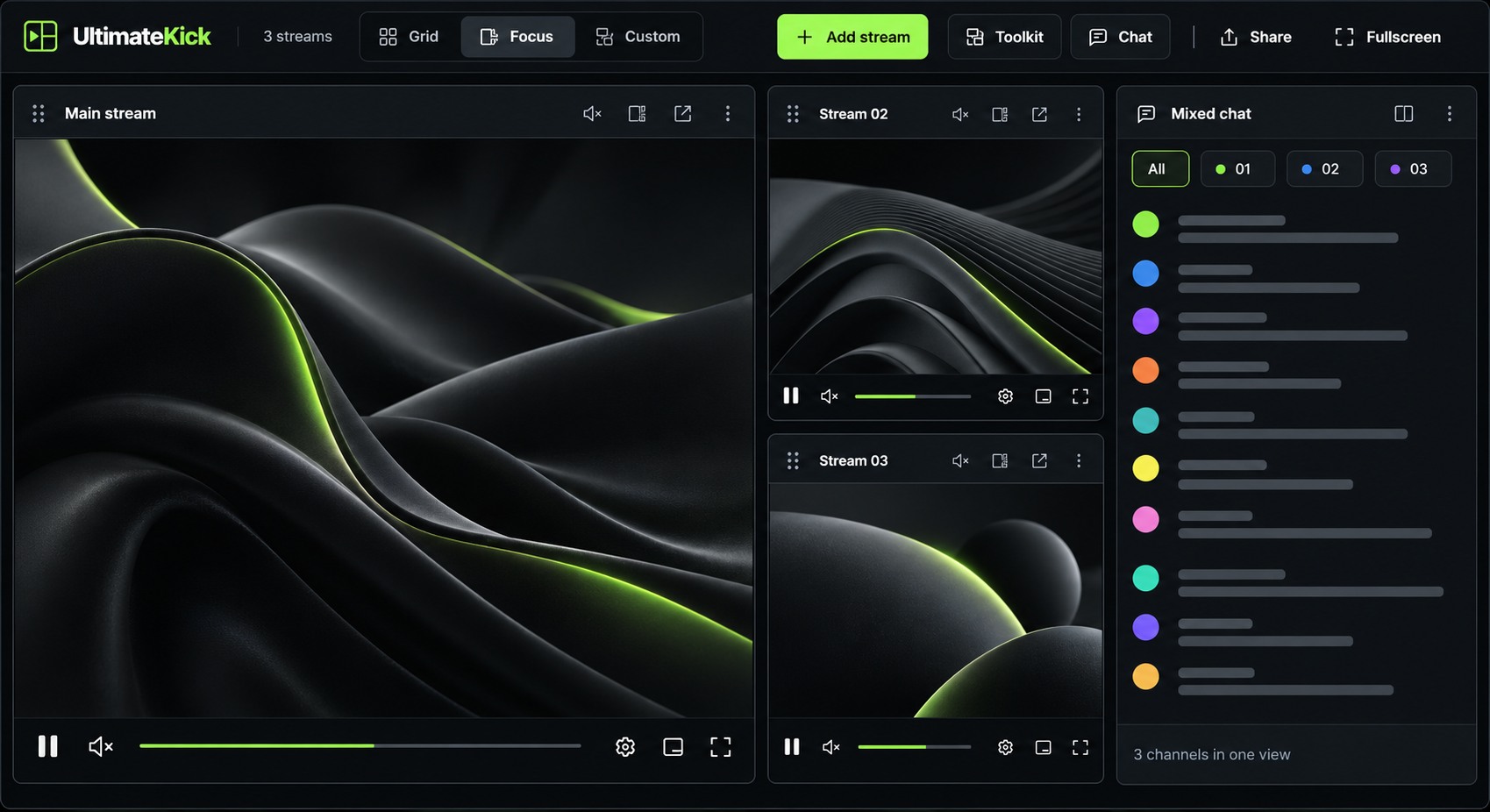
Illustrative UltimateKick Focus layout: one large main stream, two smaller streams beside it and a mixed chat panel. Abstract visuals replace streamer footage.
Focus layout mockup.

Multiview

Grid, Focus or Custom.
Your layout, your choice.

Mixed chat

Keep conversations from
your channels in one view.

Saved sessions

Save your setup and
return to it.

Three layouts.
Your way to watch.

Give one stream the spotlight in Focus. Keep every stream in view with Grid. Or move and resize your panels in Custom — with chat right where you want it.
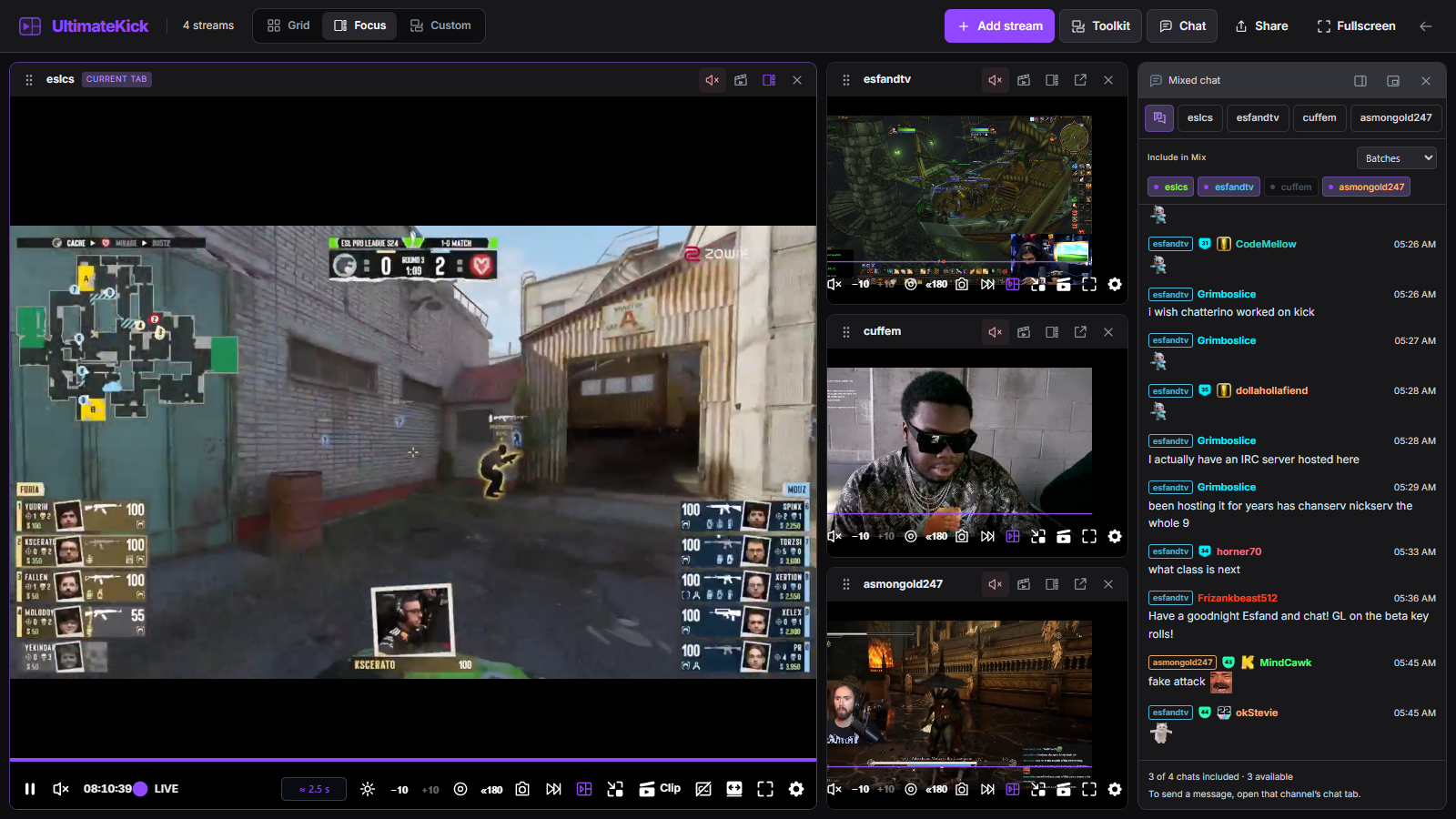
UltimateKick Focus layout in Twitch Dark: a large Counter-Strike stream, two smaller World of Warcraft streams, and mixed chat with purple controls.
FocusOne main stream, smaller previews.Twitch Dark
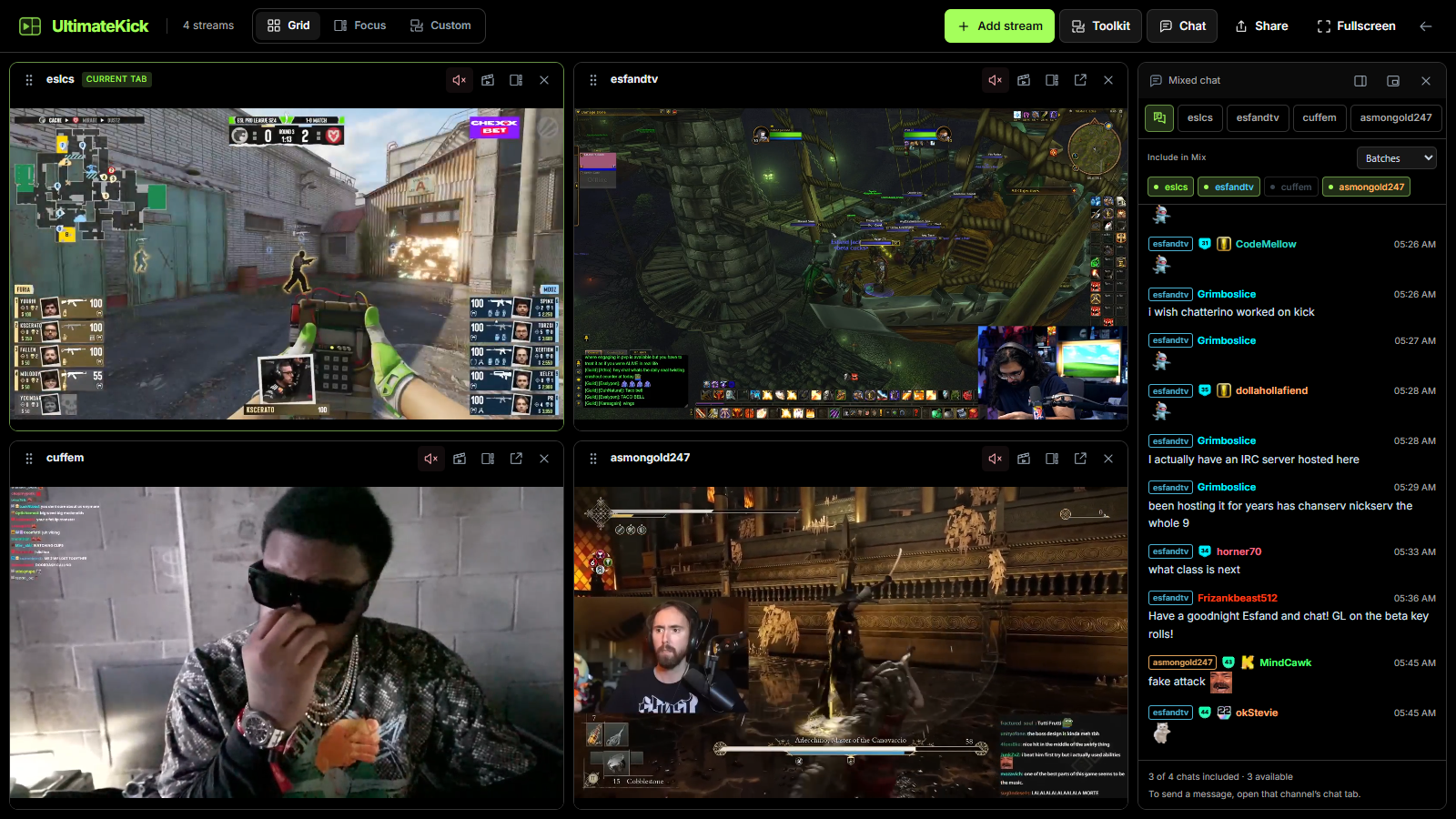
UltimateKick Grid layout in OLED black with lime controls, three equal stream tiles, an Add stream tile and docked mixed chat.
GridA shared view of every stream.OLED black
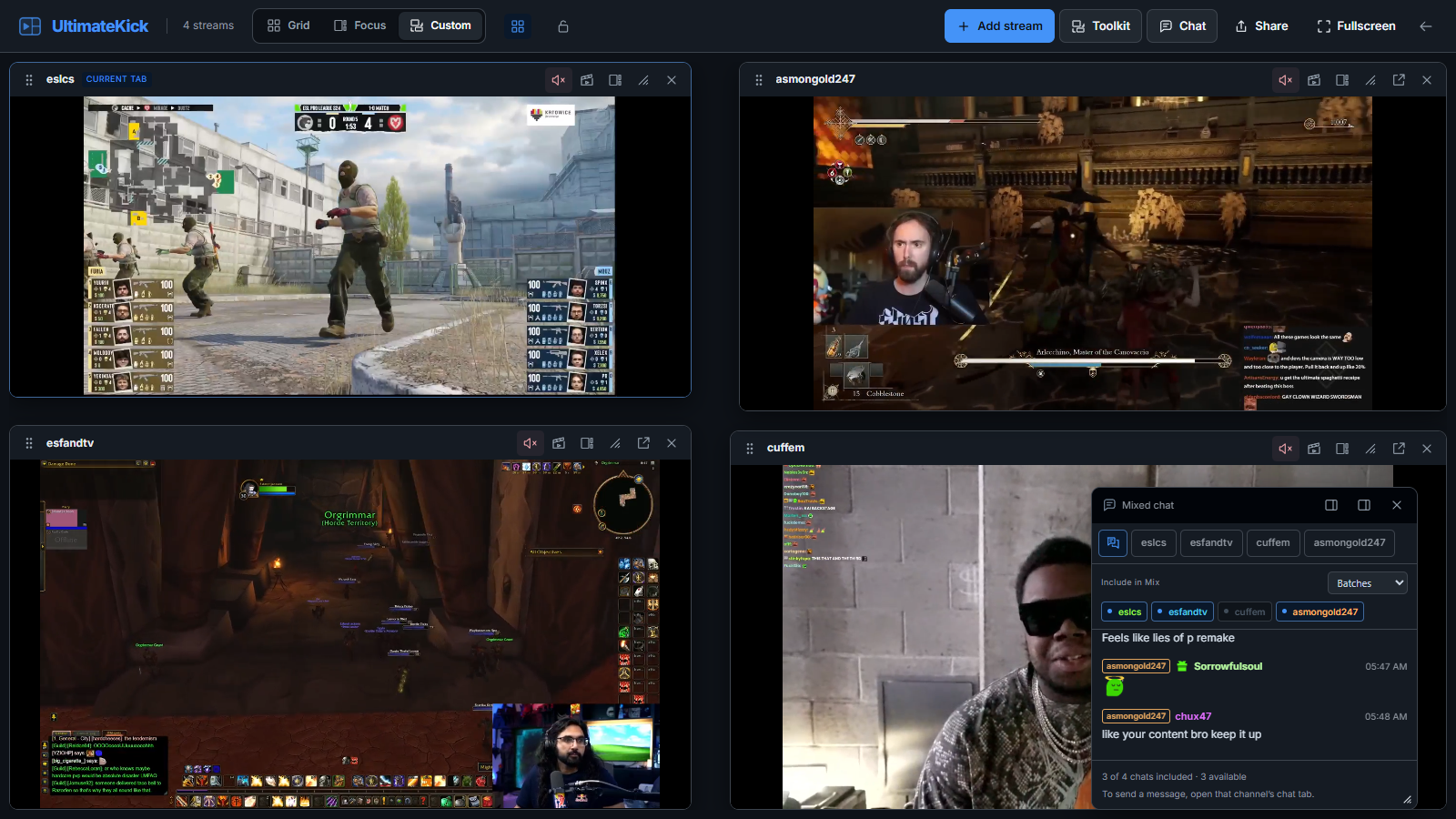
UltimateKick Custom layout in GitHub Dark with blue controls, three manually arranged stream panels and a floating mixed chat panel.
CustomMove, resize and make room.GitHub Dark

One chat.
More conversations.

Bring messages from your channels into one feed. Channel labels keep each conversation easy to follow, and you choose which chats join the mix.

Dock it beside your streams or let it float. Switch to a channel’s own chat tab when you want to send a message.
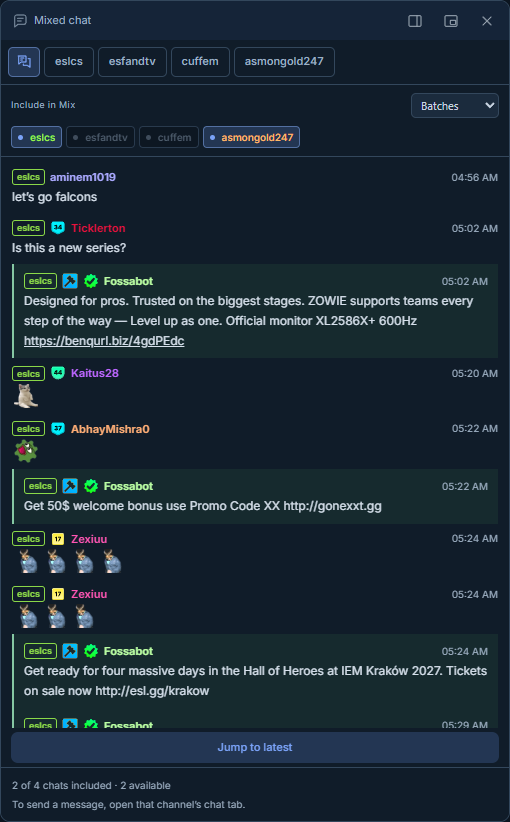
Midnight mixed chat panel with channel tabs, Include in Mix controls, and channel-labeled messages from esfandtv and asmongold.
Mixed chatMidnight

Keep your
favorite setups.

Save your channels, layout and chat setup as a session. Load it again when you’re ready, without rebuilding your workspace.

Give each setup a name. Update it as your routine changes. Your sessions stay on your device.
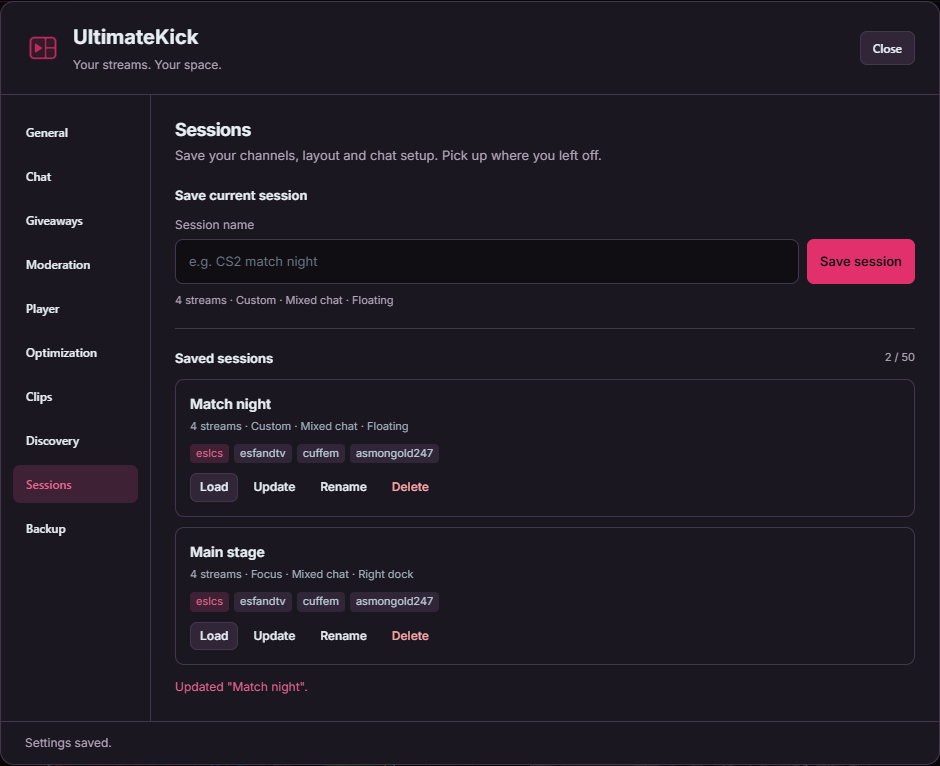
Sessions settings in Instagram Pink Dark Mode, with Save current session, and saved Match night and Main stage setups with Load, Update, Rename and Delete controls.
Saved sessionsInstagram Pink Dark Mode

Quality that follows
your layout.

Set quality limits for Grid and Custom based on how many streams you watch. Choose separate qualities for your main stream and smaller previews in Focus.

More streams can use lower resolutions to reduce player load. You control the thresholds and quality choices.
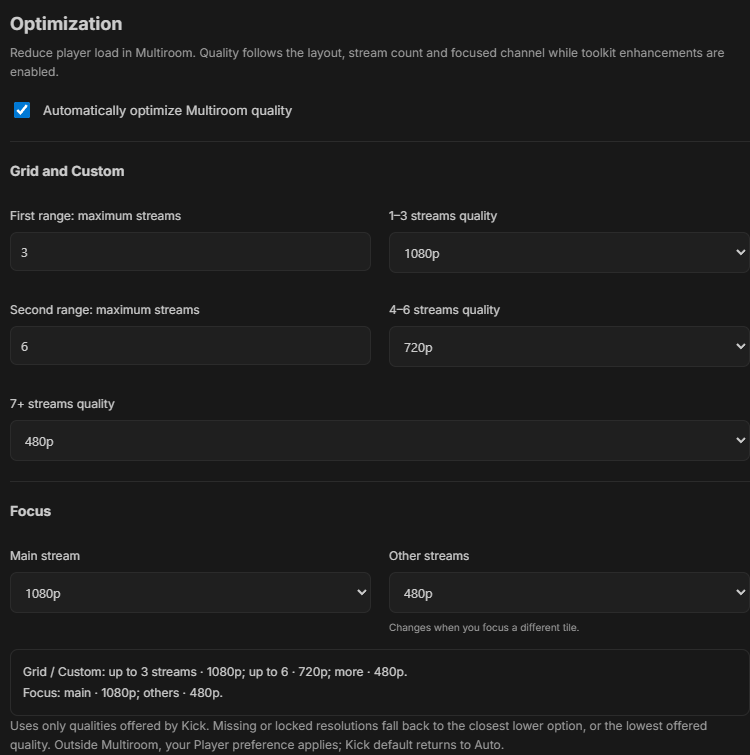
Optimization settings in VS Code Dark Modern: 1080p for 1–3 streams, 720p for 4–6, 480p for 7 or more, and Focus with the main stream at 1080p and other streams at 480p.
OptimizationVS Code Dark Modern

Dark themes. Your accent.

These screenshots show six of the available palettes. Choose a theme, set your own accent, and optionally match Kick’s controls.

  • Twitch Dark
  • OLED black
  • GitHub Dark
  • Midnight
  • Instagram Pink Dark Mode
  • VS Code Dark Modern

Your setup stays yours.

Preferences and sessions are stored locally on your device.

Product screenshot